Mentee A pays me a monthly retainer to be his mentor. We meet on a regular weekly slot. He runs an outstaffing operation — placements into mortgage brokerages, a partner who owns marketing, a stack of recruiters and CSMs that grew faster than his ops did. We’ve been working together for over a year.
Here’s the thing he doesn’t fully know.
About thirty minutes before our call, an
After the call, a different instance fans out. It updates his action tracker. It appends a new entry to the patterns file. It modifies his strategic map if anything moved. It drafts the WhatsApp follow-up I owe him.
John Doe has never met my AI. He has been feeling its work for over a year.
That’s the hook of this chapter. Everything else is plumbing.
The unlock you can’t fake#
None of what I just described works without a
The instance doesn’t have memory. It can’t. Every chat starts as a stranger — that’s how the underlying model works. What gives the system continuity isn’t the model; it’s the folder of markdown files I hand it every morning.
Once that clicks, the rest of this chapter is obvious. Most people skip the vault and try to get smarter with prompts. That’s like buying a Ferrari and forgetting the keys at home. The keys are the boring part. The keys are the whole point.
Why Obsidian (and not the shiny thing you tried last year)#
I tried Notion. I tried Roam. I tried Reflect, Mem, Logseq. I have scars from each of them.
Obsidian is the only one where my AI agents can actually navigate the knowledge graph without getting lost in someone else’s proprietary format. Here’s the short list of why it won:
- Local-first. The files live on my machine. Not a server in someone else’s basement. My data, my encryption, my control.
- Markdown. Every AI on the planet — Claude, GPT, Gemini, the open-weights model you’ll be running in 2027 — reads markdown natively. A .md file from 2024 still opens in 2034.
- Bidirectional links. Mention [[Mentee A]] in a session note and the link is alive in both directions. That’s the neuron logic.
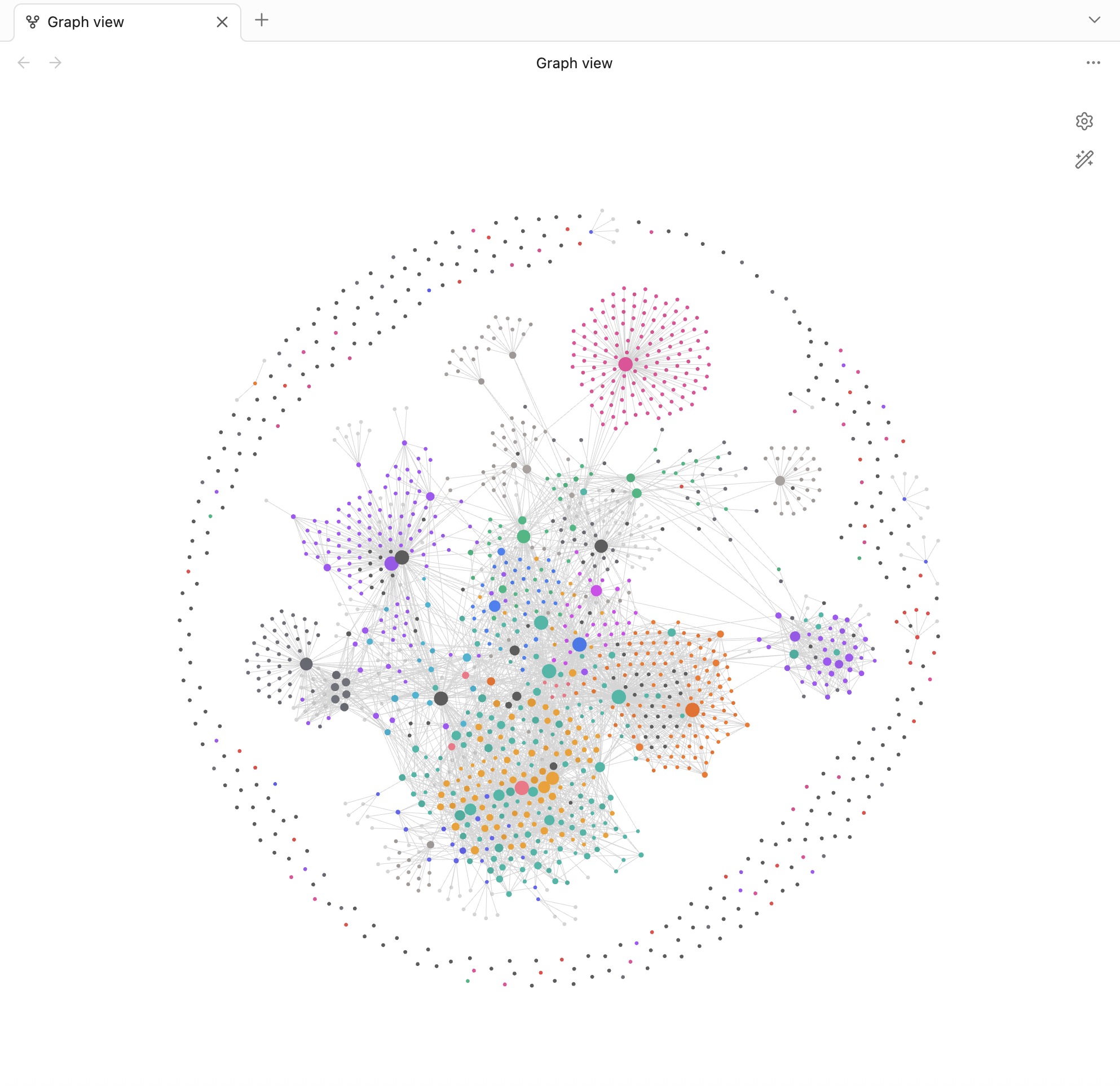
- Graph view. You can literally see the structure of your knowledge — which clusters are dense, which are isolated, where the bridges are.
- Free. First-party sync is paid if you want it; iCloud or Dropbox works fine.
- Plugins. Daily notes, templates, dataview queries — community-built, open, hackable.
Notion is a database with documents bolted on. Obsidian is documents with a graph bolted in. AI agents need the second one. The first one fights you.
Two-tier memory, no exceptions#
I run memory in two layers. They serve different purposes and you need both.
Working memory is a single file called
Long-term memory is the rest of the vault. Hundreds of markdown files. Mentoring sessions, company strategy, people notes, product specs, newsletter drafts. Indexed, cross-linked, queryable. Never loaded all at once — that would blow the
Working memory is the always-on layer. Long-term memory is the searchable archive. Skip either one and the system breaks.
The vault structure I actually run#
Vlad-Brain/
├── 00-Inbox/                # daily capture, processed weekly
├── 01-Daily/                # YYYY-MM-DD daily notes
├── 02-Projects/Active/      # mentoring, deals, builds in flight
├── 03-People/               # one file per important human
├── 04-Companies/            # Belkins, Folderly, plus other portfolio companies
├── 05-Newsletter/           # drafts, ideas, published
└── 99-Templates/
The numeric prefixes aren’t decorative — they force consistent ordering across every device, every search, every AI lookup. 00-Inbox is the dump zone, the place where stuff lands before I know what it is. 01-Daily is the journal that captures what actually happened, time-stamped, append-only. 02-Projects/Active is everything live; when something closes or dies, it moves to an Archive folder so the active list stays scannable. 03-People is one note per important human — Mentee A has one, my CTO has one, key customers have one. 04-Companies gets a folder per portfolio company so each operation has its own strategic notes and link map. 05-Newsletter is where vladsnewsletter.com lives. 99-Templates is the boilerplate so I’m not re-typing the same headers for the thousandth time.
The neuron logic#
Open Mentee A’s people note. Click around for thirty seconds.
You land on his note. From there: every mentoring session he’s ever shown up to, every action item I’ve ever assigned him, every decision involving his business, every time I’ve referenced him in a daily note, every newsletter draft where I’ve thought about something he taught me. Click [[Belkins]] from a session note and you’re suddenly in the Belkins company hub looking at how outstaffing strategies cross-pollinate. Click [[Partner B]] — Mentee A’s partner — and you see the parallel orbit.
That’s the neuron firing. One node activates the whole network. You stop “looking things up” and start remembering in a way that’s faster than your own brain. The vault is doing recall on your behalf.
This isn’t a filing cabinet. It’s a brain.
Recurring updates — the loop that keeps it alive#
A vault that doesn’t get written to is a vault that dies. That’s the trap. People build the structure, write a flurry of notes for two weeks, then watch the whole thing rot into a graveyard.
The fix is loops:
- Daily. Morning: an instance reads the vault and produces today’s focus — what matters, what’s overdue, what’s at risk. Evening: another instance writes back what shipped, what slipped, what got decided.
- Weekly. Friday wrap-up synthesizes across companies, archives stale daily notes, surfaces what got dropped between Tuesday and Thursday.
- Monthly. A consolidate-memory pass merges duplicates, fixes stale facts, prunes dead files.
- Quarterly. Vault audit — does the structure still match how I actually work?
The principle: files that get touched, get loaded. Files that rot, mislead. Stale memory is worse than no memory because it actively poisons every instance you spawn.
Skills — procedural memory you can call by name#
Once you’ve found a workflow that works, you don’t want to re-explain it to the AI every time. That’s where
A skill is, mechanically, just a folder with a SKILL.md file. Frontmatter on top — a name and a description. The description is a search query the AI runs against your intent: get it right and the skill fires when you mean it to. Get it wrong and you’re invoking ghosts. The body of the file is the playbook: decision trees, steps, output format, edge cases. Optionally, scripts.
Three real ones from my stack:
- mentoring-lifecycle — pre-session prep, live capture, post-session fan-out across vault files. One skill, four modes, one trigger phrase. This is the engine behind the Mentee A story above. The five files in my vault it touches every cycle: Mentee A — Mentoring.md, Mentee A — Action Tracker.md, Mentee A — Session Prep.md, Mentee A — Patterns.md, Mentee A — Strategic Map.md.
- friday-wrapup — portfolio-wide synthesis pulling HubSpot pipeline, Stripe revenue, Ahrefs SEO, GA4, Slack signals into one Friday-evening report.
- vlads-newsletter — voice and structure for my Substack so drafts come out sounding like me instead of generic LinkedIn-thinkfluencer mush.
The threshold for writing a skill is dead simple: I’ve explained the same workflow three times. On the third repeat, it gets a SKILL.md. Anything less is over-engineering. Anything more is wasted thought.
The 15-minute setup#
If you’ve read this far and still don’t have a vault, this is the on-ramp.
- Install Obsidian — https://obsidian.md, free, all platforms.
- Create a vault folder, sync via iCloud or Dropbox if you want it on your phone.
- Make folders: 00-Inbox, 01-Daily, 02-Projects, 03-People, 04-Companies. Numeric prefixes force order.
- Create CLAUDE.md at the root — one page, the cheat sheet you’d hand a chief of staff on day one.
- Connect
or to read the folder. - Test. Ask: “what’s on my plate today?” If you get a useful answer, the loop works. If not, fix it before going further.
Paste-ready CLAUDE.md skeleton:
# CLAUDE.md
## Me
[1 paragraph]
## People
| Who | Role | Status |
## Active Projects
| Name | Status | Next |
## Preferences
- ...
## This Week
- Focus / Avoid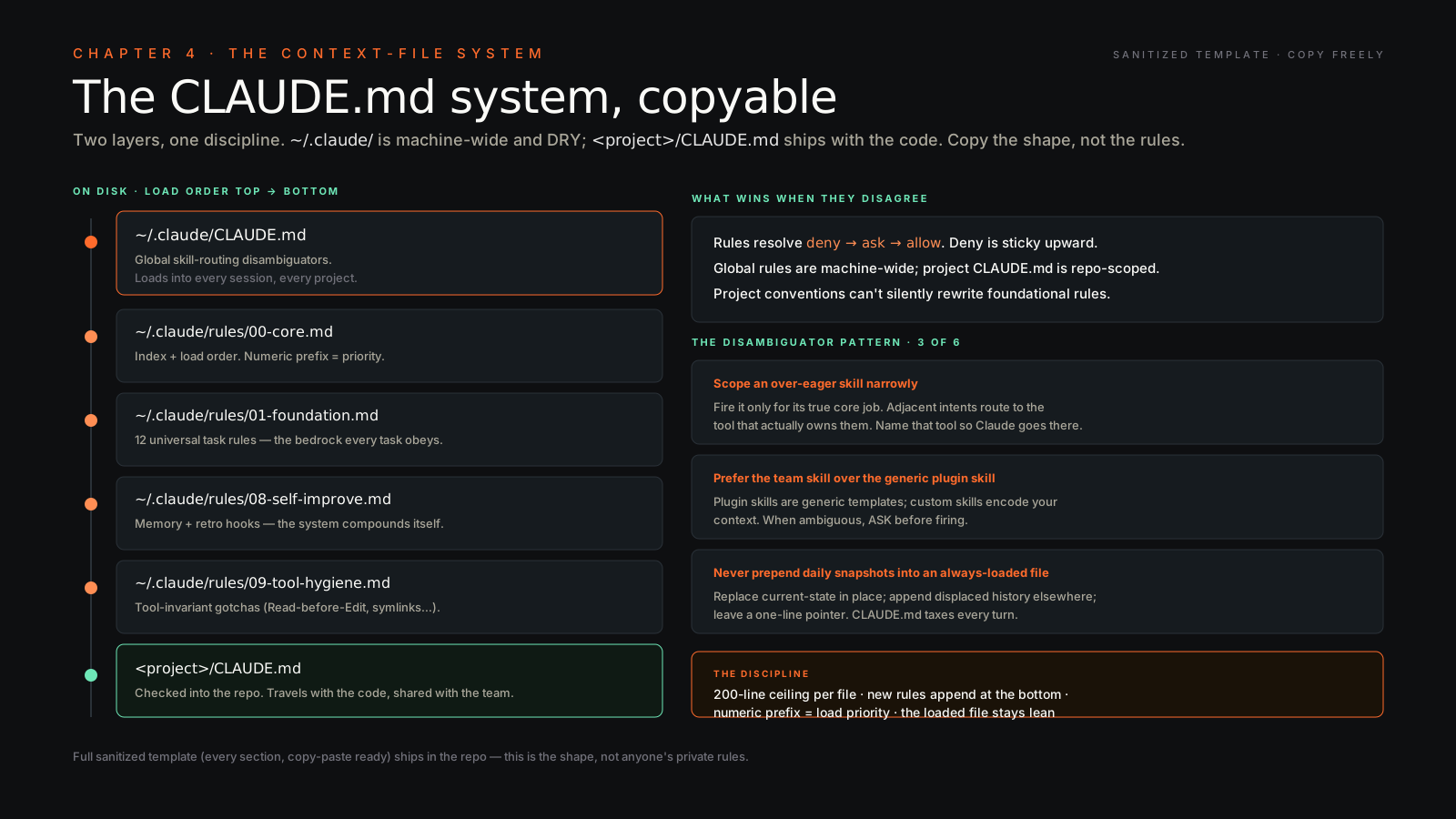
The compounding payoff#
Think of it like planting trees.
Year one feels like overhead. You’re writing notes you don’t need yet, structuring folders you barely use, updating files no one’s reading. Year two you have an orchard. Every instance you spawn benefits from years of accumulated decisions, conversations, patterns, mistakes. The AI doesn’t just answer — it answers in the context of everything you’ve ever decided.
This is why my AI feels qualitatively different from “ChatGPT with my prompt history.” That’s a model with goldfish memory. Mine is a model with a brain attached.
Same underlying intelligence. Radically different output.
The pattern generalizes — even my AI agents have vaults#
Rick — the platform I run agents on (the OpenClaw / NemoClaw / Hermes archetypes covered in Ch 32) — gives every agent its own vault. Same Obsidian shape, same daily-notes / people / companies / projects structure, just scoped to what that agent needs to remember across runs.
A sales-research agent’s vault tracks who it’s reached out to, what they replied, which threads converted. A pricing-watch agent’s vault holds which competitors changed pages, which alerts fired, which ones I muted. A content-prep agent’s vault: every podcast guest, every interview transcript, every quotable line surfaced and where.
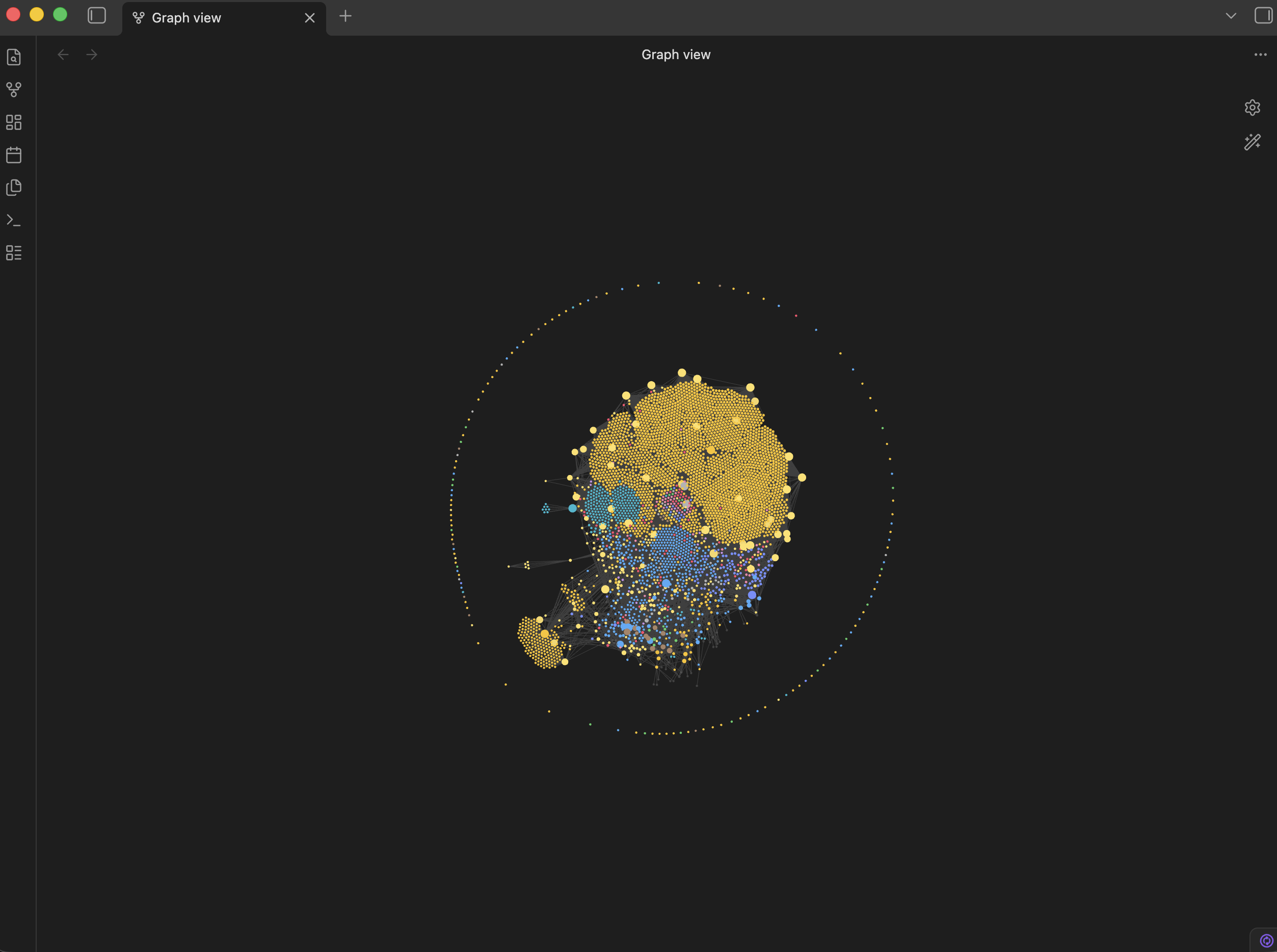
The pattern is: every agent that runs more than once benefits from a vault. Stateless agents are easier to build — they’re also strictly worse, because the second run forgets everything the first run learned. When agents have vaults, they get smarter on their own. When they don’t, they cost more and ship less, every single run.
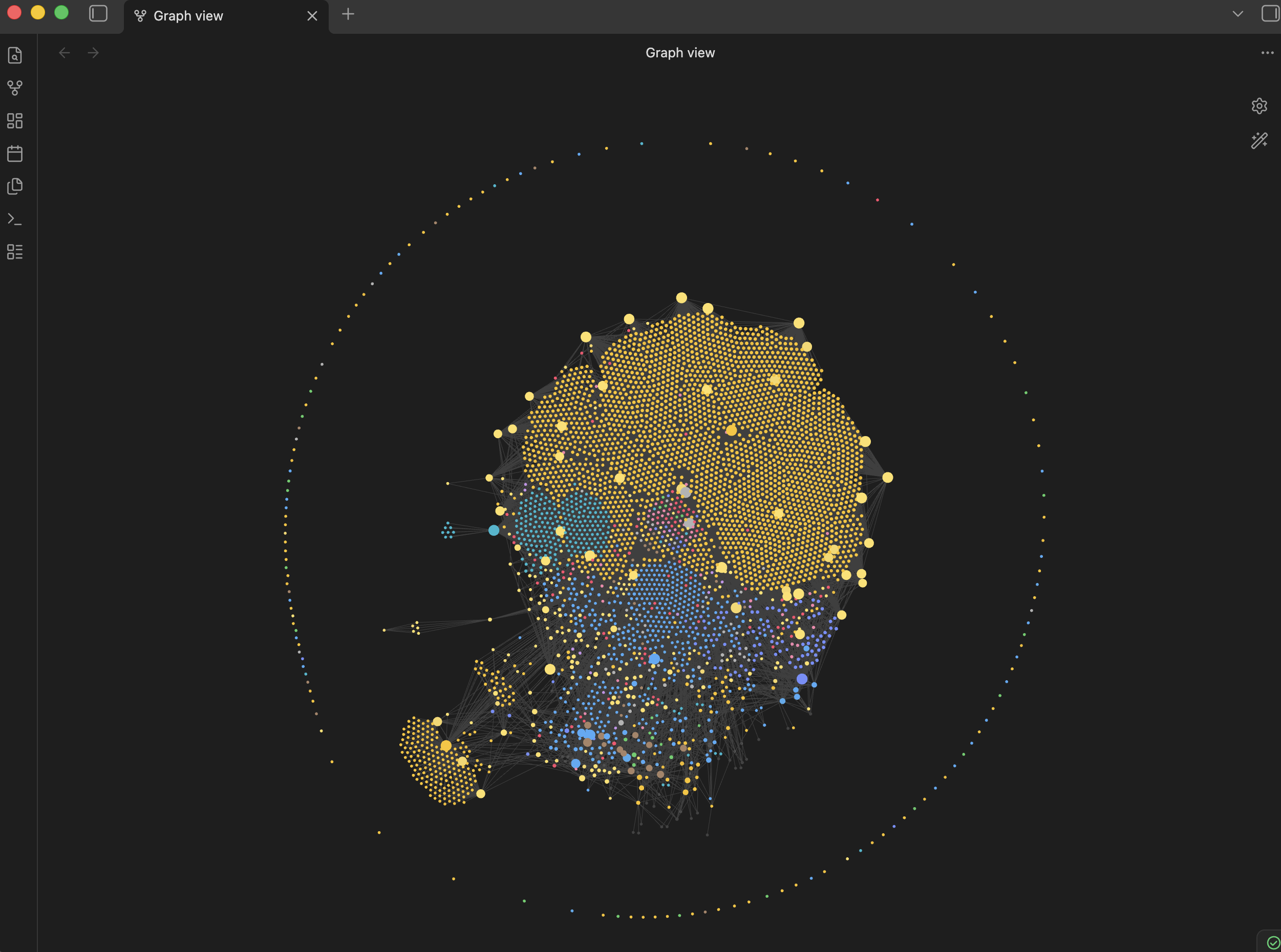
The vault discipline is the moat that compounds for you AND for everything you spawn.
What I almost forgot to tell you#
Privacy. The vault is the most sensitive thing on your machine. Mentee revenue, deal sizes, my read on who’s about to get fired, legal exposure I haven’t surfaced to people yet — it’s all in there. Whoever has read access to the vault has read access to all of it.
Local-first matters. Encrypt your sync. Don’t park your second brain in someone else’s cloud you don’t fully control. The model you’re using this year will be obsolete by next year. The markdown notes you wrote this year will outlive every tool in your stack.
The vault is the moat. The AI is the rented intelligence on top.